View your tracker's activity - Spytec GPS GL300
View your tracker's activity - Spytec GPS GL300
You can view your tracker's activity by clicking on the Activity tab or by accessing reports.
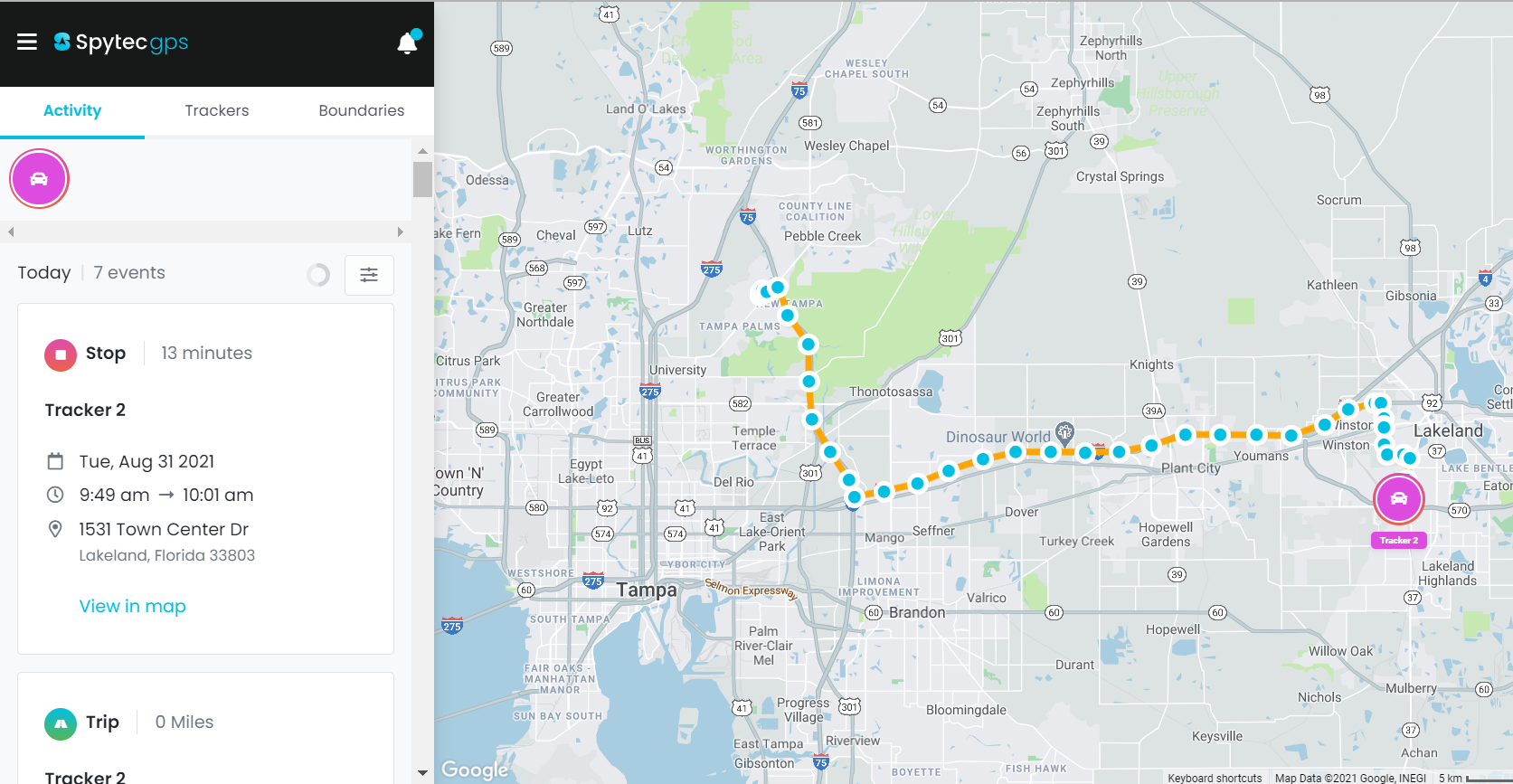
Activity tab on app.spytec.com
Here you can view your recent trips and stops. Use the 'view in map' link to view the route the tracker has taken on the map:
Learn more about viewing your activity
Accessing reports
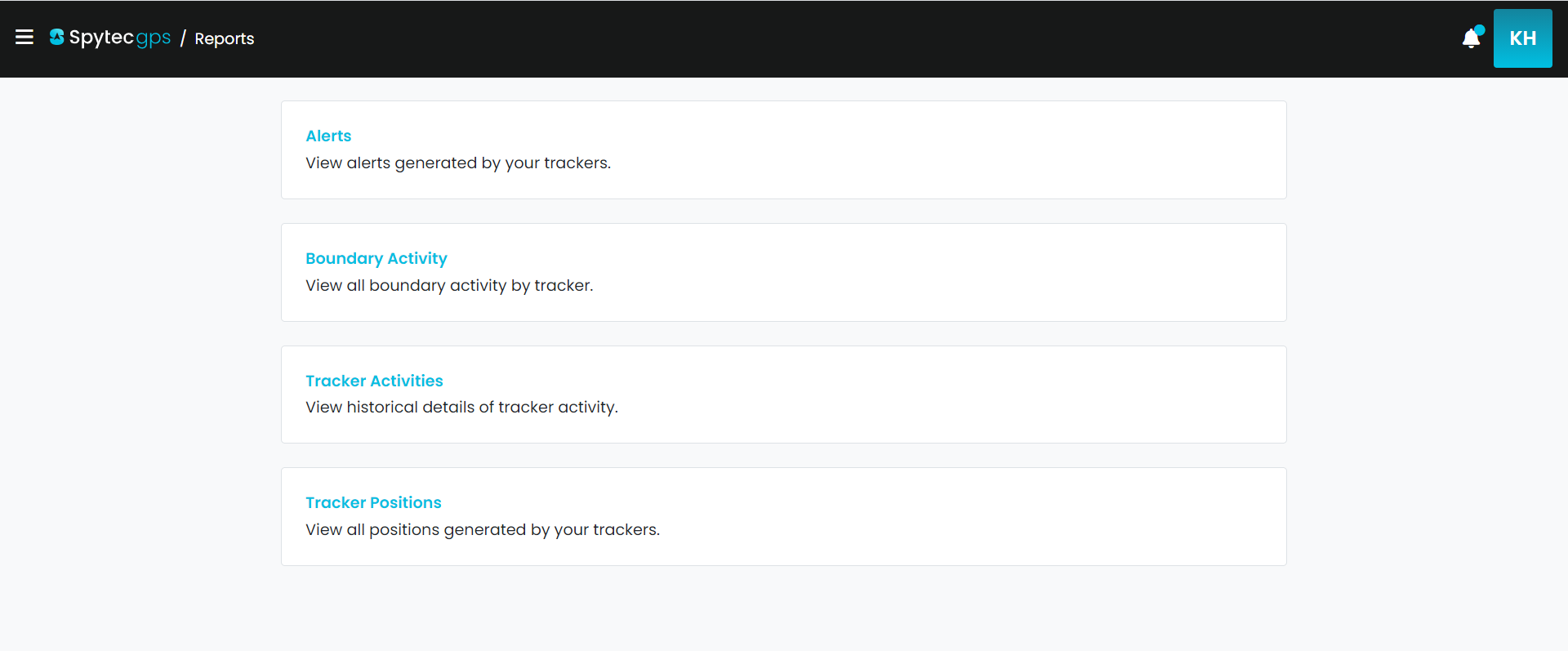
- Click on the menu on the top left and select 'Reports.'
- You will be given a list of different reports to chose from to view your past activity.
- You also have the option to export the file as well.
Learn more about exporting a report.
Viewing activity on the mobile app
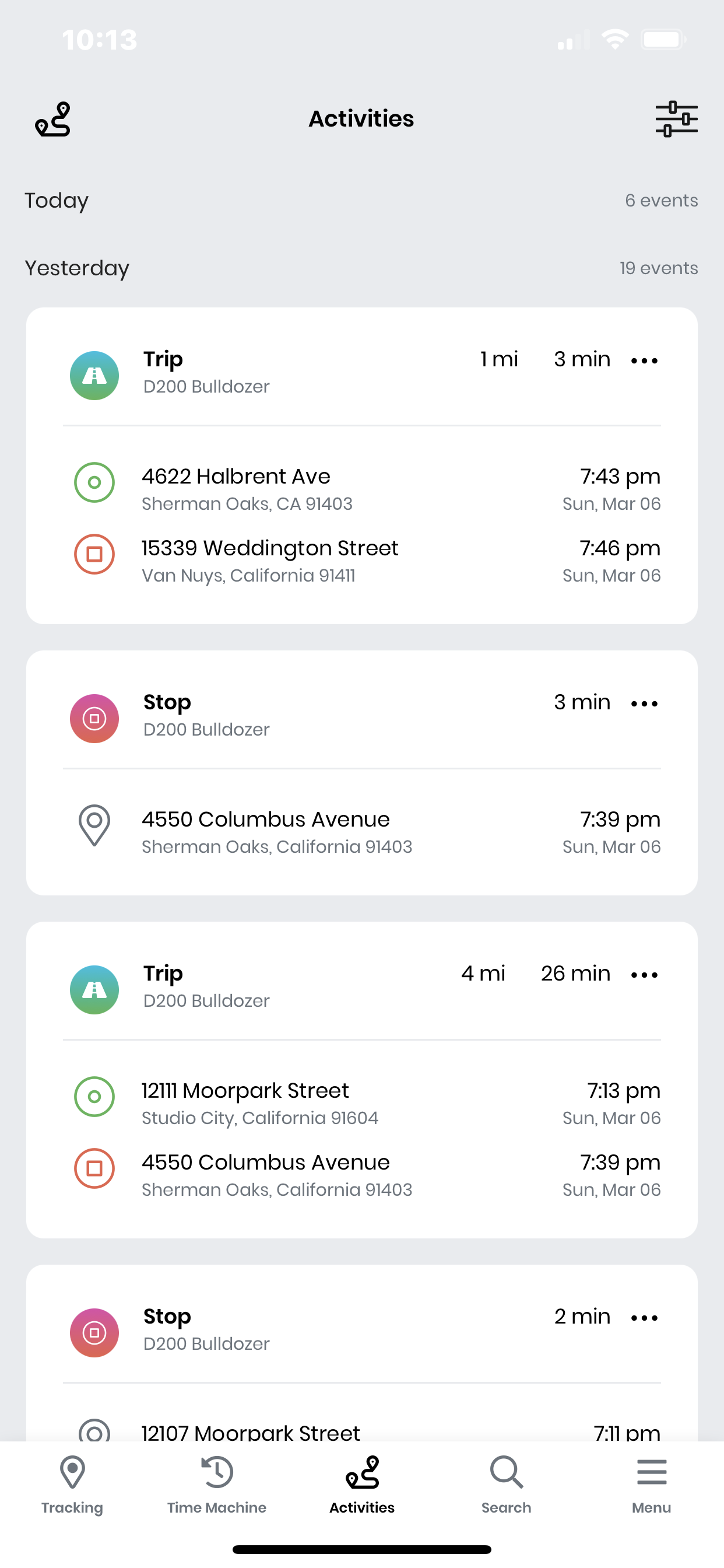
- Click on the menu on the top left and select 'Activity.'
- This will give you a list of your recent positions.
- Filter through your activity by clicking on the icon on the top right to select a specific date that you would like to view.
Learn more about viewing your activity
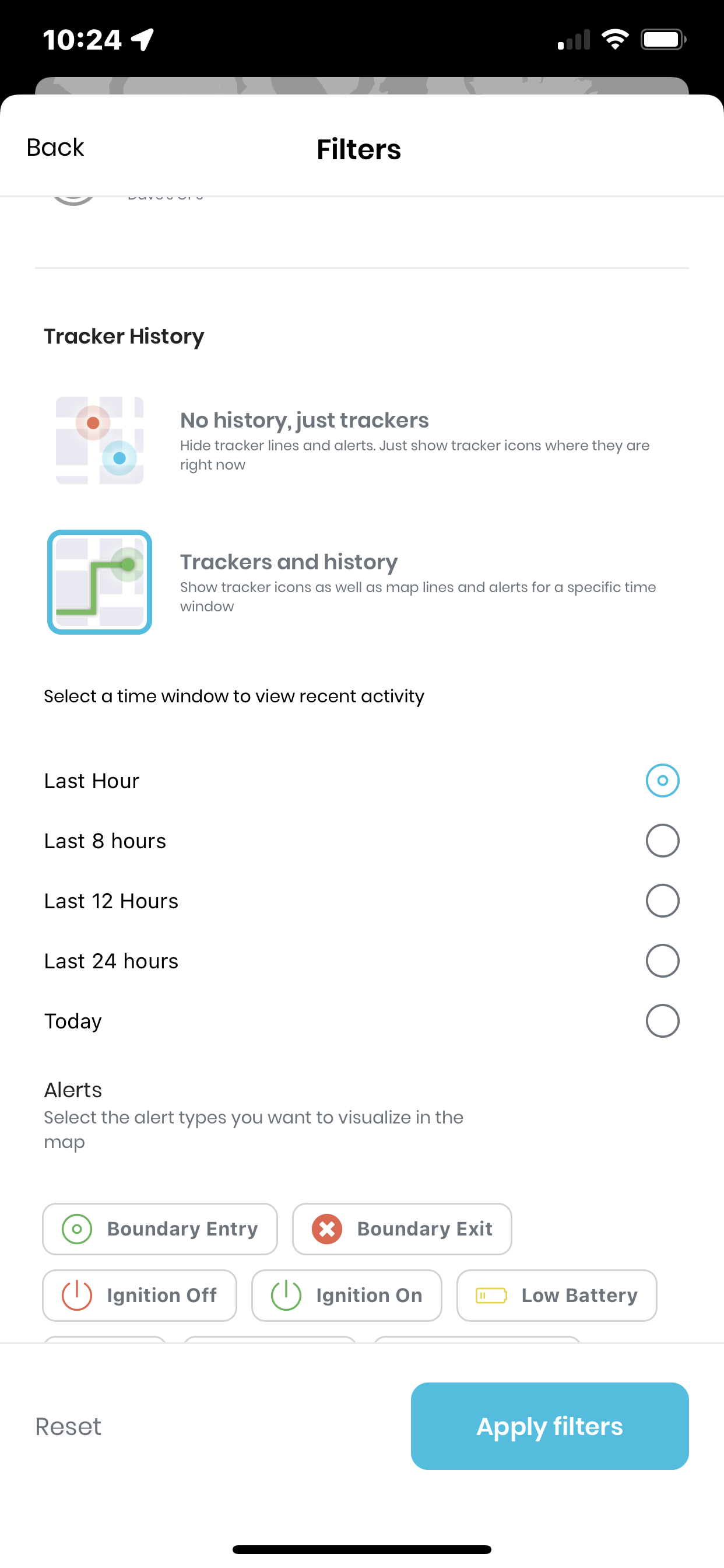
View the history that the tracker has taken on the map
The 'Trackers and history' option allows you to see all trips and stops from your tracker, up to the last 24 hours on the map. You can also include the alerts that were triggered along the trip.
https://helpcenter.spytec.com/


Comments
Post a Comment